

Choose who can see a site
Who can do this: admins. You need a site.
A site is visible to everyone until an admin chooses otherwise. The choice covers every address of the site, your own domain too.
Choose who can see the site
-
Open the site and select the Advanced tab. Who can see this site is its first section.
-
Choose Everyone, Only people in this workspace or Anyone with the password.
-
For Anyone with the password, type a password of at least 8 characters into Password.
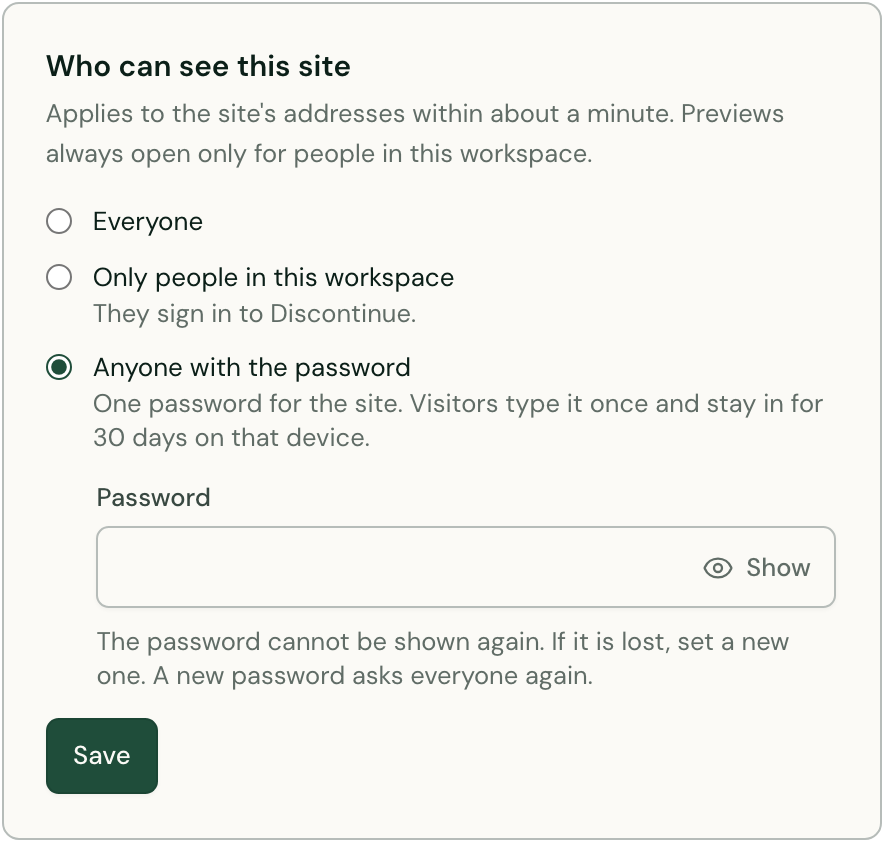
The setting with Anyone with the password chosen, before Save. -
Select Save. The site's addresses follow within about a minute. You do not need to publish.
Change the password
- In Who can see this site, select Change password.
- Type the new password and select Save. Every visitor is asked for the new password.
Good to know
- Previews always open only for people in your workspace, whatever you choose.
- The password page shows your workspace's logo and accent color, from Settings, then Workspace, under Brand. With either set, it is always light. It names the address, never the site.
- A visitor types the password once and stays in for 30 days on that device. People in your workspace are asked for it too.
- With Only people in this workspace, a visitor who is not signed in sees "Sign in to continue" and the address, then signs in to Discontinue. Anyone else reads "You have no access to this site."
- Signing out of Discontinue does not close a workspace-only site or a preview that this browser already opened. The access ends within the hour.
If something goes wrong
- The password page says "Too many attempts. Try again in a few minutes." after 20 wrong passwords from one address. Wait 15 minutes, then type the password again.
- Nobody knows the password any more: set a new one with Change password. Nobody can read a password back.
The rules behind these tasks are in the reference, under Who can see a site.